
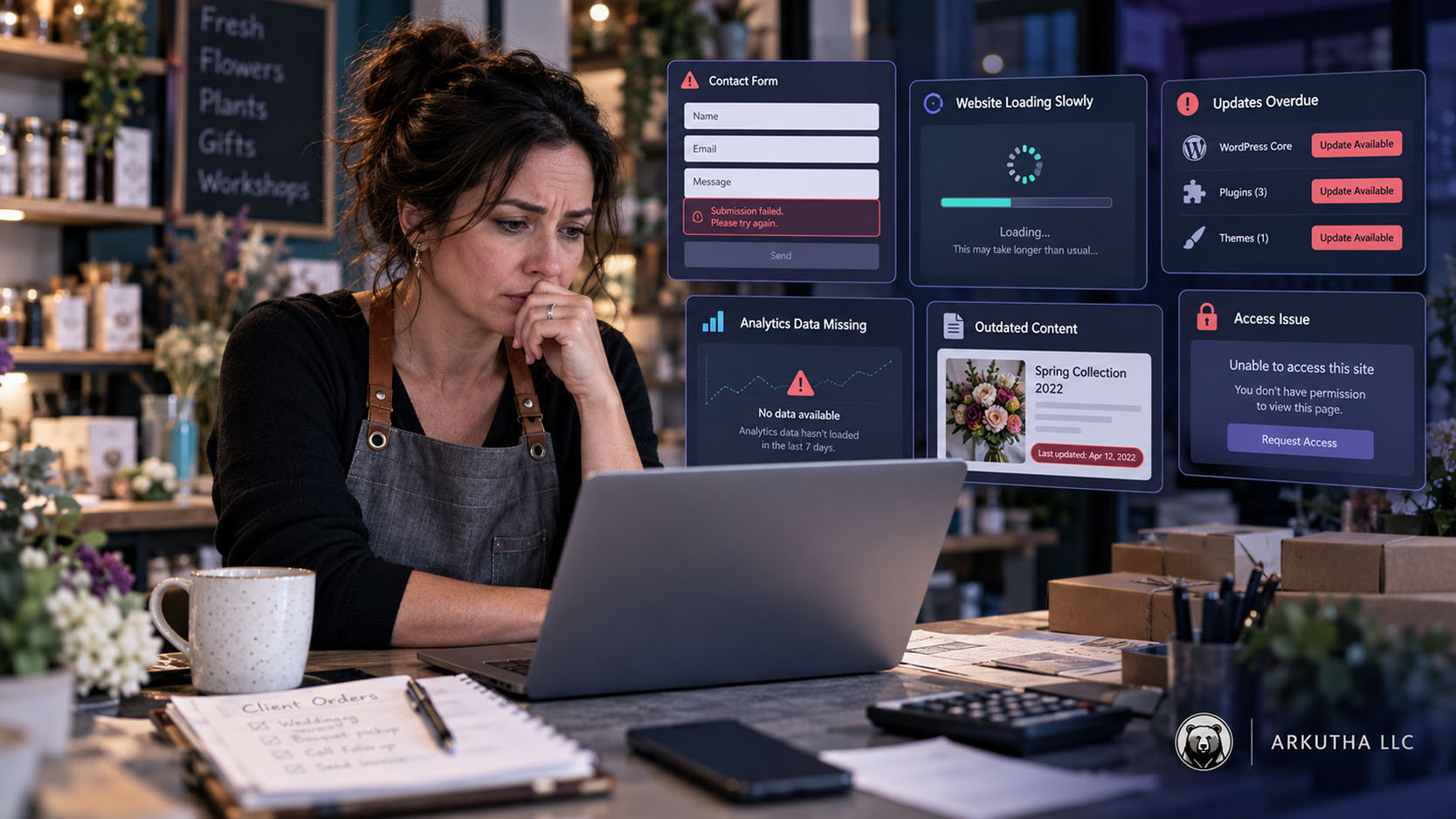
Most business websites do not collapse in one dramatic moment. They decline through a series of small problems that no one owns.
A plugin remains outdated because the team is afraid to update it. Meanwhile, a form stops sending notifications, and a former vendor retains the only administrative access. Service information changes in the business but not on the website. At the same time, analytics breaks during a redesign while the monthly report continues showing charts.
Each issue may look minor by itself. Together, they make the website slower to manage, harder to trust and more expensive to repair.
Website maintenance and ongoing digital support are not only technical tasks. Together, they create an operating process that keeps the website, content, tracking, vendors and business information aligned.
A Website Is a Changing System
Business websites depend on several layers: hosting, domain settings, the content management system, themes, plugins, forms, analytics, third-party services, integrations and the people who manage them.
Those layers change. Software receives updates, while browsers and devices evolve. Vendors change policies and employees leave. Meanwhile, the business adds services and locations, and campaigns require new landing pages or conversion actions.
A website that remains untouched does not stay in the same condition. It becomes less aligned with the environment and the business around it.
For example, this is especially visible on WordPress sites because the core software, plugins, themes and server environment must continue working together. Updates are necessary, but they also need backups, testing and a practical rollback plan.
Why Website Maintenance Gets Delayed
Teams often avoid updates because a previous change caused a problem. That fear is understandable. Updating without a backup, staging process or rollback plan can create downtime.
However, avoiding updates indefinitely creates a different risk. Compatibility gaps grow. Old plugins remain active even when no one uses them. The site depends on software that may no longer receive support.
A maintenance process should determine:
- Which updates can run automatically
- Which changes require staging or manual review
- Whether the site has a current backup
- How the team will roll back a failed change
- Which pages, forms and features must be tested afterward
- Who documents the result
WordPress recommends keeping the platform current and checking Site Health regularly. The exact update process depends on the website’s complexity and hosting setup.
Backups Exist but No One Knows Whether They Work
Next, consider backups. Many hosting plans include them. That is useful, but the business should still understand what is protected, how long backups are retained and who can restore the site.
A typical WordPress backup requires both the website files and the database. One without the other may not be enough for a complete restoration.
The team should know:
- Where backups are stored
- How often they run
- How long they remain available
- Whether an off-site copy exists when appropriate
- Who has permission to restore them
- When the restore process was last tested
A backup is not a recovery plan until someone can use it under pressure.
Forms and Lead Paths Break Quietly
A broken homepage is obvious. However, a form that stops sending email can remain unnoticed for weeks.
Lead paths depend on more than the form field. They may include spam protection, email delivery, CRM routing, thank-you pages, analytics events and internal follow-up. A change to any part of that chain can create a failure.
Test important forms and phone paths on a schedule. A focused website and landing-page review can help when the failure comes from the page, form or customer path rather than routine maintenance. Confirm that the submission reaches the correct person, the visitor sees a useful confirmation and the analytics records the intended conversion.
Also review who follows up. The website may work correctly while the lead sits in an inbox that no one monitors.
Content Becomes Outdated and Contradictory
Over time, service pages often remain live long after the business changes its offer. Staff pages list former employees. Location details conflict with the Google Business Profile. Old blog posts recommend tools or processes that no longer apply.
Outdated content creates more than an SEO problem. It affects credibility, sales conversations, recruiting and customer expectations.
Content maintenance should include:
- Service, location and contact information
- Team and leadership pages
- Pricing or policy statements, when published
- Forms and calls to action
- Case-study claims and screenshots
- Technical and compliance-related guidance
- Internal and external links
- High-traffic articles that influence decisions
The website needs a person who can confirm the facts, not only someone who can edit the page.
Tracking Stops Matching the Website
In addition, analytics and conversion tracking depend on the current page structure. A redesign may replace form IDs, remove a thank-you page or change how phone numbers are displayed. Tag Manager may continue publishing old rules that no longer match the site.
As a result, the business can lose measurement without losing visible functionality.
Use an analytics and conversion tracking review after website changes, new forms, domain changes, consent updates and campaign launches. Compare the recorded conversions with real submissions and calls.
Reporting should also note significant implementation changes. Otherwise, leadership may interpret a tracking failure as a sudden drop in customer demand.
Access and Ownership Become Unclear
Meanwhile, websites accumulate accounts: domain registrar, hosting, WordPress, analytics, Tag Manager, Search Console, business profiles, form tools, call tracking and security services.
Problems begin when those accounts use personal emails, former employees or vendor-owned logins. The business may not discover the gap until it needs to change providers or respond to an urgent issue.
Maintain an access inventory that identifies:
- The company-owned primary account
- Current administrators and their roles
- Billing and renewal contacts
- Recovery methods
- Vendor access
- Where documentation and credentials are stored securely
Remove unnecessary access when relationships change. At the same time, avoid creating one-person dependency inside the company.
Performance Declines Through Accumulation
As a result, website speed problems often come from several additions rather than one obvious mistake. New scripts, large images, unused plugins, embedded tools and design effects accumulate over time.
Each addition may support a valid request. However, no one evaluates the total cost.
Periodic performance reviews should identify what the website loads, what remains useful and which assets need optimization. Removing an unnecessary script may create more value than adding another performance plugin.
Mobile experience deserves separate attention. A change that looks acceptable on a large screen may hide a button, create an awkward form or push the primary action too far down a phone page.
Security Is a Process, Not a Plugin
Finally, security plugins and managed hosting can provide useful protection, but they do not eliminate the need for updates, access control, backups and monitoring. WordPress’s hardening guidance treats security as a set of precautions across the system rather than one plugin setting.
WordPress hardening guidance emphasizes basic precautions across hosting, software, passwords, permissions, backups and administration. The appropriate setup depends on the business and the sensitivity of the systems involved.
Arkutha can coordinate website security practices and vendors, but a digital marketing provider is not automatically a cybersecurity firm or IT department. Businesses with higher-risk systems may need specialized security and compliance support.
Clear boundaries help the right providers work together before an incident occurs.
Vendor Changes Leave Unfinished Work Behind
Even with those controls, vendor changes can leave unfinished work behind. One vendor builds the website, another adds analytics and a third manages ads. An employee may install a form plugin. Years later, no one knows why certain tools exist or which provider owns the next decision.
Disconnected work creates duplicate tags, abandoned licenses, conflicting recommendations and slow support. The company pays several providers while still acting as the project manager between them.
Ongoing digital support should create coordination. That may include documenting systems, setting priorities, managing website work, reviewing reports and bringing in specialized providers when needed.
Maintenance, Optimization and Projects Are Different
At the same time, these categories should not be treated as one unlimited support bucket.
Maintenance keeps the existing system functioning. It may include updates, backups, testing, minor corrections and monitoring.
Optimization improves performance over time. It may include conversion changes, SEO improvements, content updates, analytics cleanup or campaign support.
Projects create substantial new scope. A full website rebuild, new CRM implementation, large content library or multilocation redesign usually requires separate planning and resources.
Defining these boundaries helps the business budget correctly and prevents urgent maintenance from consuming every improvement opportunity.
A Practical Website Health Routine
In practice, the exact schedule depends on the business, but a useful routine can include:
Monthly
- Review software, hosting and security alerts.
- Confirm backups and test priority forms.
- Check important website and analytics changes.
- Review broken links or visible errors.
- Update urgent business information.
Quarterly
- Review Site Health, performance and mobile experience.
- Audit administrative access and renewals.
- Review high-value service and location pages.
- Test conversion tracking against real leads.
- Remove or replace unused tools and plugins.
- Prioritize the next set of improvements.
After major changes
- Test forms, calls, navigation and mobile layouts.
- Verify analytics and advertising conversions.
- Confirm redirects, indexing and search visibility.
- Document the change and rollback path.
A checklist helps, but ownership matters more. Someone must review the results and make the decision.
When Ongoing Digital Support Makes Sense
Therefore, ongoing support becomes useful when website work depends on one overloaded employee, several vendors do not coordinate or small problems remain unresolved for months.
The service may connect website management, SEO, advertising, analytics, content and vendor coordination around a shared priority list. It does not replace every specialist. Instead, it gives the business experienced ownership of the larger digital picture.
Arkutha provides ongoing website, SEO, advertising, analytics and digital support for established businesses that need senior-level help without building an entire internal team. Discuss ongoing digital support if your website is technically live but no one reliably owns its health, accuracy and improvement.
FAQs
What should ongoing website maintenance include?
The scope may include software updates, backups, testing, form checks, monitoring, content corrections, performance review, access management and documentation. Larger improvements may require separate project scope.
How often should a WordPress website be updated?
Review updates regularly. The timing and testing process depend on site complexity, hosting, available backups and the risk of compatibility problems.
Is a website backup enough if it runs automatically?
Automatic backups are useful, but the business should know what is included, where it is stored, how long it is retained and how to restore it.
Can ongoing support coordinate with existing vendors?
Yes. Ongoing digital support can help organize priorities, access, reporting and responsibilities while coordinating with hosting, IT, security, development or other specialists.
Is ongoing support a replacement for an internal marketing team?
Not always. It may supplement internal staff, coordinate several providers or provide senior-level ownership when building a complete internal team is not practical.
What work may fall outside ongoing support?
Large rebuilds, migrations, new systems, major content production and specialized security or compliance work may require a separate scope or another provider.