
WordPress Plugin Security: What Businesses Should Check
Your business website can look normal, load properly, and continue collecting leads while a serious security problem develops behind the scenes.
That is what makes website security difficult for many business owners. Obvious problems get attention. Quiet risks often remain unnoticed until the website goes down, starts redirecting visitors, sends spam, loses data, or gives an unauthorized person access.
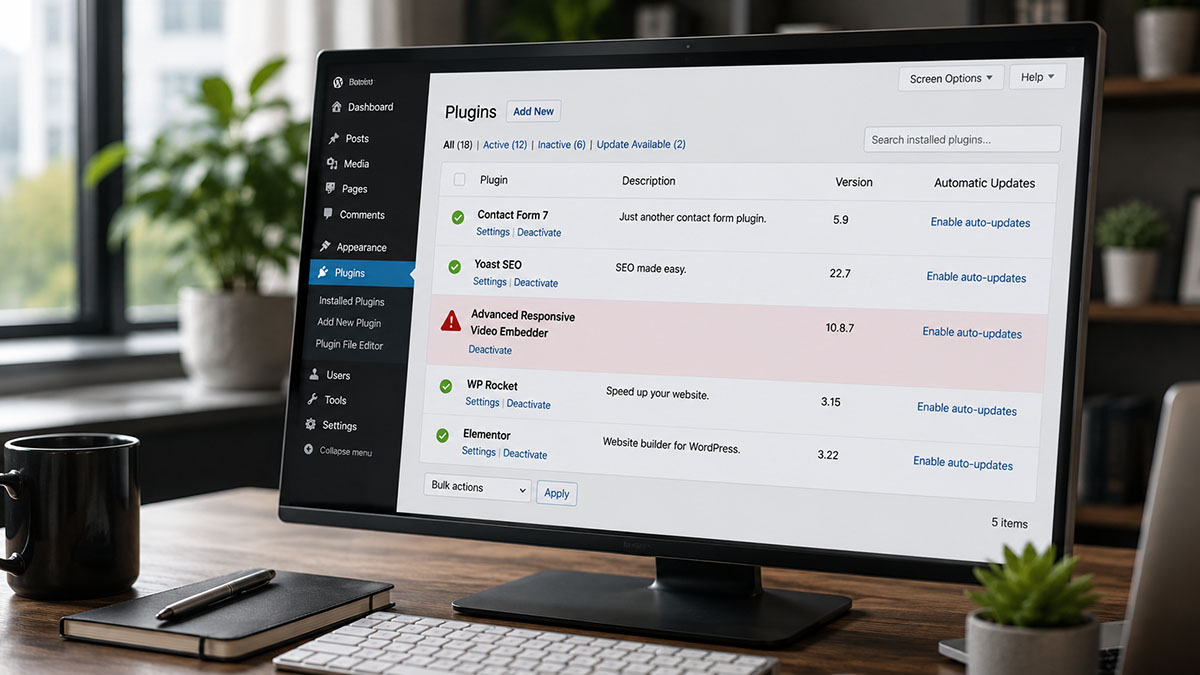
A WordPress security incident reported on July 28, 2026 provides a useful example. Wordfence found deliberate malicious code inside version 10.8.7 of the Advanced Responsive Video Embedder plugin. The code could allow an unauthenticated attacker to gain administrator access with a single request.
Wordfence detected the backdoor less than two hours after it appeared. The WordPress.org plugin team then closed the plugin to new downloads. Wordfence also reported that the malicious release had not yet been distributed through the normal update system, which may have prevented affected websites from receiving it automatically.
The quick response matters. However, the larger lesson matters more:
Installing updates is part of website security. It is not a complete security plan.
What Made This Incident Different?
Many plugin vulnerabilities begin with a coding mistake. A developer overlooks a security check, handles data incorrectly, or releases a feature that attackers learn to exploit.
This incident was different.
According to Wordfence, someone deliberately placed a backdoor inside the plugin’s code. The backdoor included a hardcoded credential that could give an attacker administrator access without a password, an existing account, or any action from the website owner. Wordfence classified the issue as a critical authentication bypass and identified the affected version as 10.8.7.
This type of incident is commonly described as a software supply-chain attack. Instead of breaking into one business at a time, an attacker compromises software that businesses already trust.
That changes the risk.
A website owner can follow the usual advice, install an official plugin, and keep it updated. Yet the update itself could become the source of the problem if someone gains unauthorized access to the software’s distribution process.
Fortunately, that does not mean businesses should stop updating WordPress. Delaying updates can leave known vulnerabilities exposed. Instead, businesses need several layers of protection so one failure does not determine the outcome.
The Incident in Plain Language
| Stage | What Happened |
|---|---|
| Malicious code appeared | A backdoor was added to a legitimate WordPress plugin. |
| The code bypassed normal login controls | Someone using the embedded credential could gain administrator access. |
| Wordfence detected it | Its PRISM system identified the code in less than two hours. |
| The report was verified | Wordfence confirmed the issue and contacted the WordPress.org plugin team. |
| Downloads were closed | WordPress.org removed the plugin from distribution while the problem was addressed. |
| Website owners were warned | Anyone using the plugin was advised to remove it and verify the installed version. |
The speed of detection reduced the potential exposure. Still, many businesses cannot assume every future incident will be identified before a malicious update reaches their website.
Why Automatic Updates Are Not a Complete Answer
Automatic updates solve a real problem. They reduce the time a website remains exposed after a developer releases a security fix.
However, automatic updates also make changes without someone reviewing each release first. In most cases, that tradeoff is reasonable. In rare cases, such as a compromised software release, the update itself may introduce risk.
Turning off every automatic update is not the answer either. That can leave known problems unpatched for weeks or months.
The better approach depends on the website, the hosting environment, the plugin, and the consequences of downtime. A small informational website may use a different update process than a medical practice, regional service company, membership organization, or business that depends heavily on online leads.
For higher-value websites, the process may include:
- Current backups that have been tested
- Staging or controlled update procedures
- Vulnerability alerts from trusted sources
- Monitoring after updates
- A limited and reviewed plugin inventory
- A recovery plan when an update causes a problem
- Clear responsibility for responding to security notices
The key issue is not whether updates happen automatically or manually.
The key issue is whether anyone owns the outcome.
Five Assumptions That Leave Business Websites Exposed
“Our hosting company handles security.”
A good hosting provider can add valuable protection. Depending on the service, that may include server maintenance, backups, malware scanning, firewalls, or help during an incident.
However, the hosting provider may not know which plugins your business still needs, who should have administrator access, whether a form stopped working, or whether an unusual website change was authorized.
Hosting security and website management overlap, but they are not the same responsibility.
“We have a security plugin, so we’re covered.”
A security plugin can block certain attacks, scan files, protect login pages, and alert someone to suspicious activity.
Still, no plugin removes every risk. It also cannot help much if alerts go to an abandoned email address or nobody knows who should respond.
Security software needs configuration, monitoring, and follow-through.
“The website is updated, so it must be secure.”
Updates reduce known risk. They do not prove the website is clean, properly configured, or being watched.
An updated website can still have excessive administrator accounts, abandoned plugins, exposed credentials, poor hosting controls, or a compromised user account.
“We’re too small to be targeted.”
Many website attacks are automated. Attackers scan large numbers of websites for known weaknesses instead of choosing each business individually.
Your company does not need to be famous or large to appear in an automated scan.
“Nothing looks wrong, so nothing is wrong.”
Some compromises create immediate and visible damage. Others try to remain hidden.
An attacker may create another administrator, insert malicious code, collect information, redirect only certain visitors, or leave a second access point for later use.
A working homepage is not a security report.
Could Your Website Be Neglected?
Use this checklist as an initial warning sign, not as proof that the website has been compromised.
- You do not know which company currently hosts the website.
- Nobody can confirm when the last successful backup ran.
- Former employees or vendors may still have access.
- Several plugins are installed, but nobody knows why they are needed.
- Updates happen without testing or follow-up.
- Security alerts go to a general inbox that is rarely checked.
- The website has moved between developers without a formal handoff.
- No one regularly reviews forms, analytics, uptime, or unusual changes.
- The business has no documented recovery process.
- Website maintenance only happens when something breaks.
One checked item may have a simple explanation. Several checked items suggest the business needs a more complete review.
What Businesses Should Check Now
First, determine whether the affected Advanced Responsive Video Embedder plugin is installed. Wordfence recommended removing it and confirming that the website is not running the vulnerable version. Any business that used version 10.8.7 should follow current guidance from Wordfence, WordPress.org, its hosting provider, and a qualified security professional.
For other WordPress websites, use the incident as a reason to review the basics.
Confirm that backups work
Do not stop after confirming that a backup feature is enabled. Check when the latest backup completed, what it contains, how long backups are retained, and how the website would be restored.
A backup that cannot be located or restored is not a dependable recovery plan.
Review every installed plugin
Remove plugins the website no longer needs. Then identify who maintains each remaining plugin, when it was last updated, and whether it remains supported.
Fewer plugins do not automatically make a website secure. However, every unnecessary plugin adds code, maintenance work, and another possible point of failure.
Audit administrator access
List every administrator account and confirm who controls it. Remove access that is no longer required, especially for former employees, agencies, developers, and temporary vendors.
Also review where password resets and security alerts are sent.
Use stronger login protection
WordPress recommends security practices such as strong passwords, HTTPS, and two-step authentication as part of a broader hardening process. Its administration guidance also describes security as continuous work that requires planning, monitoring, and periodic maintenance.
Two-factor authentication is especially important for accounts with administrator privileges. It adds another barrier when a password becomes exposed.
Decide who responds to alerts
A security alert only helps when the right person receives it and understands what to do next.
Document who reviews alerts, who can contact the hosting provider, who has access to backups, and who can approve emergency website work.
That process becomes far more important during an actual incident.
Website Security Is Also an Operations Problem
Security is often treated as a technical issue. In practice, many website risks come from unclear ownership.
The developer believes the hosting company is monitoring the site. The hosting company assumes the business manages its plugins. The marketing agency manages content but not updates. Meanwhile, security notices go to an employee who left two years ago.
Every provider may be completing its assigned task. Yet nobody owns the entire system.
The same gap affects more than security. It can also leave businesses with broken forms, missing analytics, expired licenses, outdated content, failed integrations, or campaigns sending visitors to pages that no longer work.
That is why ongoing website support should include both maintenance and coordination.
When Does a Business Need Professional Help?
An internal employee may be able to handle routine updates, review users, remove unused plugins, and confirm that backups are running.
Professional support becomes more appropriate when:
- The business cannot determine whether a website was compromised.
- A critical plugin warning affects the site.
- The website supports important leads, appointments, payments, or customer services.
- Multiple vendors share responsibility.
- The business does not have a dependable backup and recovery process.
- The website contains custom code or complex integrations.
- Updates regularly cause compatibility problems.
- Leadership cannot get a clear answer about who maintains the website.
A digital review will not replace a specialized incident-response or cybersecurity firm when a serious compromise occurs. However, it can identify weak ownership, outdated software, access problems, missing backups, and other operational risks before an emergency exposes them.
A Website Is Not Finished When It Launches
The recent plugin incident ended better than it could have. Wordfence detected the backdoor quickly, the WordPress.org team closed the plugin, and the affected release reportedly had not entered normal distribution.
The next incident may not follow the same timeline.
Businesses do not need to react by installing more tools at random or treating every plugin update as a crisis. They do need to know what is installed, who has access, whether backups work, where alerts go, and who takes responsibility when something changes.
A website is an active business system. It needs maintenance, oversight, and a recovery plan long after the launch project ends.
Need Someone to Own the Bigger Digital Picture?
Arkutha provides ongoing website and digital support for established businesses that need clearer ownership across maintenance, analytics, content, vendors, tracking, and related digital systems.
If nobody can give you a direct answer about who maintains your website or what would happen during a security incident, that is a problem worth addressing.
FAQs
The reported incident involved a third-party plugin, not WordPress core. WordPress websites can also be affected by hosting problems, compromised accounts, themes, custom code, and other extensions.
Not automatically. Automatic updates can close known security gaps quickly. However, the right update process depends on the website’s complexity, risk, backup process, and available monitoring.
A reputable security plugin can add useful protection and alerts. It does not replace secure hosting, strong access controls, maintained software, working backups, monitoring, and a response process.
Someone should review updates and security alerts as they occur. The business should also conduct periodic plugin and access audits to confirm that every tool and user remains necessary.
Follow the latest instructions from the security researcher, WordPress.org, the plugin provider, and the hosting company. If the affected version was installed, assume the issue may require more than deleting the plugin. A qualified security professional may need to review accounts, files, database changes, active sessions, credentials, and other signs of compromise.
Arkutha’s documented services include website maintenance, technical coordination, security coordination, audits, and ongoing digital support. A confirmed compromise may require a dedicated WordPress security or incident-response provider depending on its severity. Arkutha can help assess the digital environment, coordinate next steps, and address broader maintenance and operational gaps without misrepresenting general website support as specialized forensic response.